२०८३ असार ५

कागजको साइज र यसको प्रकार

छपाई प्रविधिमा विभिन्न साइज तथा रंगका कागजहरु प्रयोग गरिएको पाइन्छ । छपाईको कार्य प्रकृति अनुसार विभिन्न स्तरको कागजहरु गर्न सकिन्छ । जस मध्ये छपाईमा बढी मात्रामा प्रयोग हुने विभिन्न साईजका कागजहरु निम्नानुसार छन् ।

कागजको साइज

सि.नं.कागजको नामग्रामसाइज
न्यूज पेपर४४/४८२०X३०
आर्ट पेपर९०/१००/१२८/१५०२०X३०/२१X३१/२४X३६
आर्ट बोर्ड२००/२५०/३००२०X३०/२१X३१/२४X३६
डुप्लेक्स बोर्ड२८५/३००२२X२८
पल्प बोर्ड ÷ आईबोरी१५०/२८५२२X२८
कार्ड बोर्ड१२० – १५०२२X२८
म्यापलिथो ईन्डो७०/८०/१००१७X२७/२०X३०/२४X३६/२३X३६
म्यापलिथो नेपाली६०/७०१७X२७/२०X३०/२४X३६/२३X३६
लेजर पेपर७०/८०१७X२७/२०X३०
१०कलर पेपर४८१८X२२

कागजको प्रकार

१. कार्ड बोर्ड

यो कागज २२X२८ साइजमा पाइन्छ । यो कागज १२० देखि १५० ग्राममा पाइन्छ । यो कागजमा एकातिर चिप्लो र आर्को तिर खस्रो हुन्छ ।यो निलो, पहेलो, रातो, सेतो र हरियो कलरमा पाइन्छ । यो कागजमा प्रमाणपत्र, निमन्त्रणा कार्ड र पुस्तकको कभर छपाई गर्न सकिन्छ ।

२. आइभोरी पेपर

यो कागज २२X२८ साइजमा पाइन्छ ।२५० देखि ३०० ग्राममा पाईन्छ । यो कागजमा दुई तिर चिप्लो हुन्छ ।यो कागजमा प्रमाण पत्र, निमन्त्रणा कार्ड र पुस्तकको कभर छपाई गर्न सकिन्छ ।

३. लेजर पेपर

यो कागज फिक्का हरियो रंगको हुन्छ । यो कागजमा विल, रजिष्टर र किताब बनाउन प्रयोग गरिन्छ । यो कागज ७० देखि १०० ग्राम सम्म पाईन्छ । यो कागज १७X२७ साइजमा पाइन्छ ।

४. डुप्लेक्स बोर्ड

यो कागज एकातिर चिप्लो र सेतो कलरको हुन्छ भने अर्को तिर खस्रो हुन्छ ।यसको प्रयोग औषधीको बट्टा, लन्च बक्स बनाउन तथा फाईल बनाउनको लागि प्रयोग गरिन्छ ।

५. कलर पेपर

बिल, रसिद आदि छपाई गर्न यो कागजको प्रयोग गरिन्छ ।यो कागज १८X२२ साइजमा ४४ देखि ४८ ग्राम सम्म पाइन्छ । यो कागज रातो, हरियो, सेता, निलो र पहेलो रंगमा पाइन्छ ।

६. कार्बन लेस पेपर

बिना कार्वन माथिल्लो कागजमा लेख्दा तलको कागजमा अक्षर सर्ने कागजलाई कार्बन लेस पेपर भनिन्छ । यो पेपर निलो र पिङ्क कलरमा पाइन्छ ।

७. म्यापलिथो पेपर

यो पेपर क्वालिटी तथा राम्रो किताब छपाई गर्न प्रयोग गरिन्छ । यो कागज २०X३०, २३X३६ र २४X३६ साईजमा पाईन्छ ।

८. मास्कीङ पेपर

प्रकाश छिर्न नसक्ने कागजलाई मास्कीङ पेपर भनिन्छ । यो रातो र पहेलो रंगमा पाईन्छ । यो कागज स्टिपिङ गर्न र रिपोर्ट बुकममा कभर राख्न प्रयोग गरिन्छ । यो पेपर ७० देखि १०० ग्राम सम्म पाईन्छ ।

९. ट्रेसिङ पेपर

यो कागज अर्ध पारदर्शी हुन्छ । विशेषत नक्सा लेख्न प्रयोग गरिन्छ भने प्रेसमा पोजेटिभको रुपमा प्रयोग गरिन्छ । यो A4 र A3 साईजमा पाईन्छ ।

१०. आर्ट पेपर

दुवै तिर चिललो कागजलाई आर्ट पेपर भनिन्छ । यो कागज ७० ग्रामदेखि १५० ग्राम सम्म हुन्छ भने यो कागजमा क्यालेण्डर, ब्रोसर तथा स्तरिय पुस्तक छपाई गर्न प्रयोग गरिन्छ । यो कागज २१X३१, २४X३६ र २०X३० साईजमा पाईन्छ ।

११. पिच बोर्ड

तस्विर पछाडी, रजिष्टर बनाउन प्रयोग गरिने कागजलाई पिच बोर्डं भनिन्छ । यो २८X३५ साईजमा पाइन्छ ।

१२. फाईल बोर्ड

यो कागज फाईल बनाउन प्रयोग गरिन्छ । यो कागज पहेलो, हरियो र रातो कलरमा पाइन्छ । यो कागज ३००ग्राम वा सो भन्दा माथि पनि पाईन्छ ।

१३. नेपाली कागज

यसलाई एन्टीक कागज पनि भनिन्छ । यो कागज विभिन्न प्रमाणपत्र, निमन्त्रणा कार्ड र भिजिटिङ कार्ड बनाउन प्रयोग गरिन्छ ।
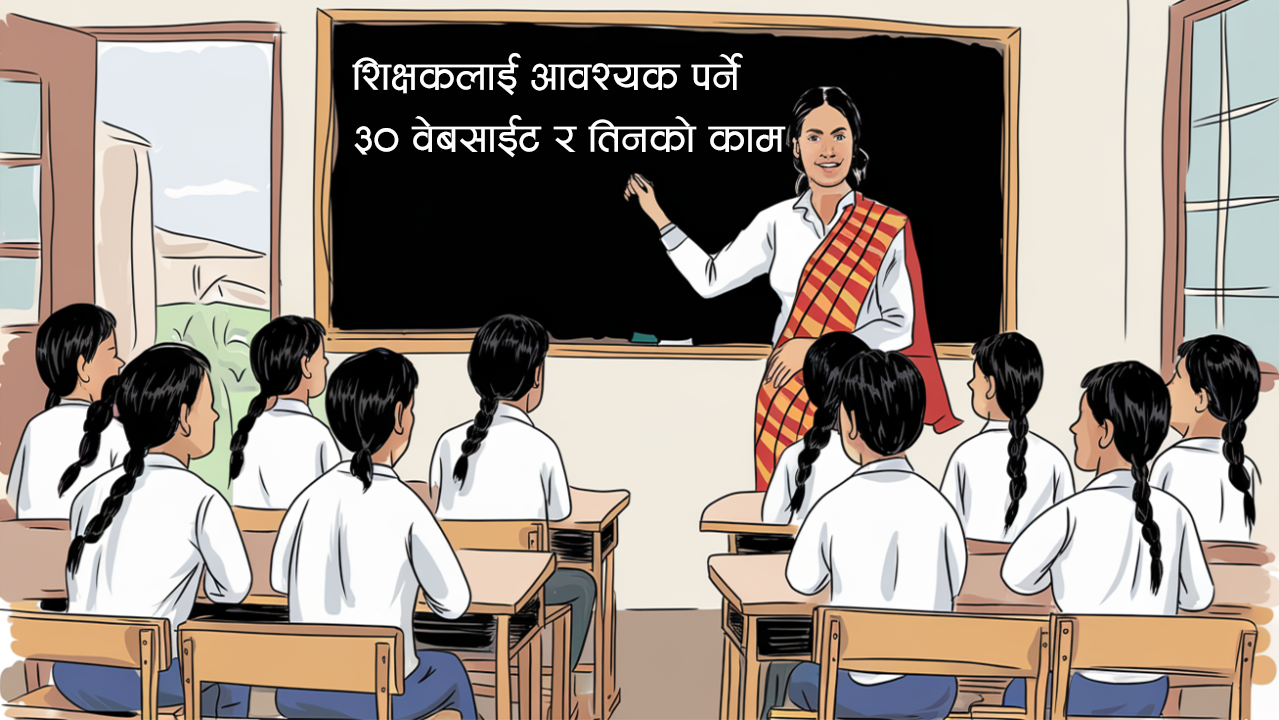
नेपालका शिक्षकलाई आवश्यक पर्ने ३० वेबसाईट र तिनको काम

आधुनिक शिक्षण प्रणालीमा प्रविधिको प्रयोग अपरिहार्य बन्दै गएको छ। शिक्षकहरूले पाठ योजना तयार गर्न, प्रश्नपत्र बनाउन, अनलाइन कक्षा सञ्चालन गर्न, अनुसन्धान गर्न, शैक्षिक सामग्री विकास गर्न तथा आफ्नो पेशागत क्षमता अभिवृद्धि गर्न विभिन्न डिजिटल स्रोतहरूको प्रयोग गर्न सक्छन्। यस लेखमा नेपालका शिक्षकहरूका लागि उपयोगी ३० वटा महत्वपूर्ण वेबसाइटहरू र तिनको मुख्य कामहरूको सूची प्रस्तुत गरिएको छ। यी वेबसाइटहरूले शिक्षण सिकाइ प्रक्रियालाई प्रभावकारी, सरल र आधुनिक बनाउन महत्वपूर्ण भूमिका खेल्न सक्छन्।

सि.सं.वेबसाईटगर्न सकिने काम
https://moecdc.gov.npशिक्षा, विज्ञान तथा प्रविधि मन्त्रालयका सूचना तथा नीतिहरू
https://doe.gov.npविद्यालय शिक्षा सम्बन्धी कार्यक्रम तथा सूचना
https://cehrd.gov.npशिक्षक तालिम, शैक्षिक सामग्री तथा पेशागत विकास
https://curriculum.gov.npपाठ्यक्रम, पाठ्यपुस्तक तथा शिक्षक निर्देशिका
https://see.gov.npSEE परीक्षा सम्बन्धी सूचना
https://neb.gov.npराष्ट्रिय परीक्षा बोर्डका परीक्षा तथा नतिजा
https://ero.gov.npशैक्षिक गुणस्तर परीक्षण तथा मूल्याङ्कन
https://eemis.gov.npविद्यालय तथा विद्यार्थी तथ्याङ्क व्यवस्थापन
https://olc.oecd.orgनिःशुल्क अनलाइन शिक्षक तालिम तथा कोर्स
१०https://www.khanacademy.orgविभिन्न विषयका निःशुल्क भिडियो पाठहरू
११https://www.coursera.orgविश्वस्तरीय अनलाइन कोर्सहरू
१२https://www.edx.orgविश्वविद्यालयस्तरका निःशुल्क तथा शुल्क कोर्सहरू
१३https://scholar.google.comअनुसन्धान तथा शैक्षिक लेख खोज्न
१४https://translate.google.comभाषा अनुवाद गर्न
१५https://chatgpt.comपाठ योजना, प्रश्नपत्र, सामग्री तथा AI सहयोग
१६https://www.canva.comपोस्टर, प्रश्नपत्र, प्रस्तुति तथा डिजाइन
१७https://www.google.com/formsQuiz, Survey तथा Online Test बनाउन
१८https://classroom.google.comअनलाइन कक्षा तथा Assignment व्यवस्थापन
१९https://meet.google.comअनलाइन बैठक तथा कक्षा सञ्चालन
२०https://www.youtube.comशैक्षिक भिडियो हेर्न तथा बनाउन
२१https://sikshya.nta.gov.npशिक्षक सेवा आयोगका सूचना तथा आवेदन
२२https://sikshyaikchautari.comशिक्षण सामग्री, पाठ योजना तथा शिक्षक स्रोत
२३https://loomaeducation.comपाठ योजना, शिक्षण सामग्री तथा कक्षा स्रोत
२४https://kathmandu.worldlink.com.npशैक्षिक लेख, लोक सेवा सामग्री तथा तयारी
२५https://meroshiksha.comशिक्षा सम्बन्धी खबर, नोटिस तथा जानकारी
२६https://phet.colorado.eduविज्ञान तथा गणितका Interactive Simulation
२७https://storyweaver.org.inकथापुस्तक, पठन सामग्री तथा बाल साहित्य
२८https://quill.orgअङ्ग्रेजी व्याकरण तथा लेखन अभ्यास
२९https://slidesgo.comPresentation Templates र सामग्री
३०https://pixabay.comफोटो, चित्र, भेक्टर र भिडियो सामग्री

शिक्षकहरूले यी वेबसाइटबाट गर्न सक्ने प्रमुख कामहरू

✓ Lesson Plan तथा Unit Plan तयार गर्ने
✓ Question Paper, Quiz तथा Exam Materials बनाउने
✓ PowerPoint Presentation तयार गर्ने
✓ Online Class सञ्चालन गर्ने
✓ अनुसन्धान तथा सन्दर्भ सामग्री खोज्ने

✓ AI को सहयोगबाट शिक्षण सामग्री तयार गर्ने
✓ Poster, Banner, Certificate तथा Notice डिजाइन गर्ने
✓ शिक्षक तालिम तथा Professional Development गर्ने
✓ विद्यार्थी मूल्याङ्कन तथा नतिजा व्यवस्थापन गर्ने
✓ Digital Teaching Skills विकास गर्ने ।

Top AI Tools Revolutionizing Work in 2025

Artificial Intelligence is no longer a future idea. It is already changing how we research, write, design, market, and manage work every day.

According to AI Evolution, a fast-growing AI-focused organization with over 300,000 followers, more than 100 AI tools are actively replacing repetitive and time-consuming tasks across industries.

This article provides a complete, categorized list of AI tools with official links, ready to explore and use.


Why AI Tools Are Important in 2025

  • Save hours of manual work
  • Improve accuracy and consistency
  • Increase productivity with fewer resources
  • Help individuals and small teams compete globally

1. AI Tools for Research and Chat


2. AI Image Generation Tools


3. AI Productivity Tools


4. AI Writing & Content Creation Tools


5. AI Video Creation & Editing Tools


6. AI Meeting & Transcription Tools


7. AI SEO & Website Growth Tools


8. AI Presentation Tools


9. AI Design Tools


10. AI Audio & Voice Tools


11. AI Marketing & Advertising Tools


12. AI Tools for Startups & Entrepreneurs


13. AI Tools for Social Media Management


Final Thoughts

AI tools are not replacing humans. They are replacing repetitive, boring, and time-consuming tasks.

Using the right AI tools allows you to focus on creativity, strategy, and growth. That is why platforms like AI Evolution are shaping the future of work.

If you run a WordPress blog, business, or personal brand, now is the right time to adopt AI.

Nepali Unicode Traditional Keyboard

What is the Nepali Unicode Traditional Keyboard?

Nepali Unicode Traditional Keyboard: Why It’s Still the Best Choice

Typing in Nepali has become much easier over the years, and choosing the right keyboard layout makes a big difference. Among all available options, the Nepali Unicode Traditional Keyboard remains one of the most reliable and widely used layouts.
This article explains what it is, why it matters, and how you can start using it.

What is the Nepali Unicode Traditional Keyboard?

It is a keyboard layout based on the Nepali Unicode standard. It includes all Nepali characters, symbols, and the traditional typing pattern that many users are familiar with.
Because it uses Unicode, every letter you type appears correctly across all platforms, browsers, apps, and devices.

Why use it?

1. Simple and familiar layout

The layout follows traditional Nepali typing style, which makes it easy for beginners to learn and comfortable for experienced users.

2. Works on all platforms

Whether you use Windows, Mac, Linux, Android, or iPhone, the Unicode layout works everywhere without formatting issues.

3. Perfect for blogging, office work, and design

It is ideal for writing articles, making documents, designing graphics, or adding Nepali text on websites.
Platforms like WordPress, Blogger, Facebook, and YouTube show Unicode text correctly.

4. Accepted for official and academic use

Unicode Nepali is now the standard for government documents, research papers, educational materials, and digital files.

Key Features

  • Complete Nepali alphabet
  • Easy typing for vowels, consonants, and signs
  • Simple entry for halant and conjunct letters (क्ष, त्र, ज्ञ, etc.)
  • Numbers and symbols in a clean structure
  • Comfortable key mapping for faster typing

How to Download and Install

For Windows

  1. Download the “Nepali Traditional Unicode Keyboard Layout.
  2. Extract the ZIP file.
  3. Run the setup file and install.
  4. Open Language Settings and enable Nepali (Traditional).

For Android

You can install apps like Nepali Traditional Keyboard, Hamro Keyboard, or Preeti to Unicode Keyboard from the Play Store.
Then activate it through Settings → Language & Input → Keyboard.

For Mac

Go to System Settings → Keyboard → Input Sources → Add “Nepali” and select the Unicode layout.

How to Start Typing

A few simple steps help you get comfortable:

  • Basic consonants (क, ख, ग, घ) follow natural key placements
  • Type the consonant first, then the vowel sign
  • Use the halant (्) for combined letters
  • Punctuation marks follow the standard keyboard layout

With short practice, your typing speed improves quickly.

Who Should Use It?

  • Bloggers
  • Students
  • Office and government workers
  • Designers and content creators
  • Teachers and writers
  • Journalists
  • WordPress or website owners
  • Anyone posting in Nepali on social media

It’s a reliable choice for all.

Conclusion

The Nepali Unicode Traditional Keyboard makes Nepali typing smooth, accurate, and compatible across every digital platform.
If you want a clean and dependable way to write Nepali for blogs, documents, or creative work, this keyboard layout is one of the best options available.
If you haven’t tried it yet, this is the right time to start.

Best Nepali and English Typing App for Desktop

Typing in Nepali and English on the same computer has become easier than ever. Whether you’re writing official documents, social media posts, or blog articles, having a reliable Nepali and English typing app saves time and improves accuracy.

  1. Google Input Tools (Offline + Online)

Platform: Windows, Chrome Extension
Google Input Tools is one of the most popular typing tools for Nepali users. It allows you to type in Nepali using English letters (Romanized typing). For example, typing mero naam Madan ho automatically converts to मेरो नाम मदन हो।

Works online and offline

Easy installation

Supports Unicode Nepali typing

Automatically converts Roman Nepali to Unicode

Website: https://www.google.com/inputtools/


  1. Nepali Keyboard by Ashesh

Platform: Windows (Desktop App)
Ashesh.com.np provides a simple Nepali typing tool and downloadable software. You can use either the Unicode Romanized method or traditional keyboard layout (Preeti, Kantipur).

Supports Unicode and traditional fonts

User-friendly interface

Free for personal use

Ideal for blog writing and document editing

Website: https://www.ashesh.com.np/nepali-unicode/


  1. TypeNepali.com (Online Typing Tool)

Platform: Web-based (No installation required)
TypeNepali.com is perfect for quick online typing. It converts Roman letters into Nepali instantly and works directly from any browser.

No download needed

Auto conversion system

Copy and paste easily into Word, Blogger, or social media

Website: https://www.typingnepali.com/


  1. Aakar Nepali Keyboard

Platform: Windows and macOS
Aakar Nepali Keyboard is great for those who prefer the traditional keyboard layout like Preeti or Kantipur. It helps designers and DTP users who work in non-Unicode fonts.

Preeti-compatible layout

Works in offline software like Photoshop, PageMaker, and InDesign

Lightweight and fast


  1. Microsoft Indic Language Input Tool

Platform: Windows
This official Microsoft tool supports Nepali typing with intelligent word suggestions and transliteration.

Simple installation

Integrated with Microsoft Office apps

Smart predictive text

Website: https://www.microsoft.com/en-us/download/details.aspx?id=35400


Conclusion

If you need an all-in-one Nepali and English typing app for your desktop, Google Input Tools is the best choice for most users. For design and printing work, Aakar Nepali Keyboard or Ashesh Unicode are excellent alternatives.

Typing in Nepali no longer requires memorizing complex characters — just type naturally in English and let these smart tools do the conversion for you.

How to Get a Free .com.np Domain in Nepal


If you’re based in Nepal and looking for a free domain for your personal or business website, .com.np is a great option to go with. It’s officially managed by Mercantile Communications and completely free for Nepali citizens and organizations. Follow these steps to get yours.


1. Pick and Check Your Domain Name

Choose a simple, memorable name related to your name or brand.
For example:

  • Personal: madan.com.np
  • Business: snyc.com.np
    Check if the domain is available on the official portal register.com.np.

2. Create an Account

Go to register.com.np and create a new account using your real name and email address. You’ll need to verify this email before submitting your request.


3. Verify and Log In

Once you’ve registered, be sure to check your email inbox and complete the verification process. Then log in to the portal to continue the process.


4. Check Domain Availability

Search your desired domain on the portal. If it’s available, click “Register Now” to start your application.


5. Prepare Required Documents

You must upload identity documents to prove ownership.

For Personal Domain:

  • Nepali citizenship
  • OR Passport, voter ID, or driver’s license

For Business/Organization Domain:

  • Company registration certificate
  • PAN certificate
  • Cover letter on company letterhead

Keep clear scanned copies (PDF or JPG) ready.


6. Write a Short Cover Letter

A cover letter helps the registrar verify your request.

Sample (Personal):

To: Hostmaster, Mercantile Communications
Subject: Request to Register yourname.com.np

I, [Full Name], holder of [ID Type and Number], request registration of the domain yourname.com.np for my personal website/blog.

Sincerely,
[Full Name]
[Email & Contact Number]

(Company letters should include official letterhead, company name, and signature of the authorized person.)


7. Fill Out the Online Registration Form

After uploading documents:

  • Enter your personal or company information correctly.
  • Attach the scanned ID and cover letter.
  • Double-check all details and send the form.

8. Wait for Approval

After submission, your request will be reviewed.
Usually, approval takes 1–3 working days. You’ll get an email once your domain is activated.


9. Set Up DNS and Hosting

Once approved:

  • Go to your domain dashboard → DNS settings.
  • Add your hosting nameservers (from your hosting provider).
  • Enable SSL (HTTPS) for better security.

10. Test and Launch Your Website

Check if your domain is live by typing it into your browser.
If everything works, start building your site using WordPress, Blogger, or another platform.


Final Tips

  • The .com.np domain is 100% free, but you must provide correct documents.
  • The domain name should match your name or business name.
  • Use clear, non-blurry ID scans to avoid rejection.
  • You can also register other extensions like .org.np, .edu.np, and .net.np for free.

Summary

Getting a .com.np domain is easy, completely free, and usually processed within a few days.
With the right documents and details, you can have your own professional Nepali website up and running quickly.

श्वास लिनकै लागि पहिले, श्वास छोड्नु पर्छ

गन्तव्यमा टेक्नै लाग्दा, पनि बाटो मोड्नु पर्छ
श्वास लिनकै लागि पहिले, श्वास छोड्नु पर्छ

कहिले माया कहिले झगडा, हुनु पर्छ सानी
रोपे पछि बिरुवा त, बेला बेला गोड्नु पर्छ

टुटे पछि फुलबाट चल्ला, कोरलिए जस्तै
कुनै सम्बन्ध बचाउन, कुनै सम्बन्ध तोड्नु पर्छ

हात जोडेँ त्यो चरणमा, यो सिर पनि जोडेँ
हे भगवान मैले म हुन, अब के जोड्नु पर्छ

के तपाइलाई थाहा छ ?

के तपाइलाई थाहा छ ?

  • हिरामा कार्बनको मात्रा १०० प्रतिशत हुन्छ ।
  • सबैभन्दा कम तापक्रममा पनि उम्लने तत्व हिलियम हो।
  • माटो, पानी, फलफूल आदिमा पाइने अम्लियपना पि एच स्केलमा मापन गरिन्छ ।
  • मनिसको मृत्यु हुँदा अन्त्यसम्म काम गर्ने अंग कान हो ।
  • सबै भन्दा बढी रोग सार्ने जीव भिंगा हो।
  • सिक्का र पदकहरुको अध्ययन गर्ने विज्ञानलाई न्यूमिस्मेटिक्स भनिन्छ ।
  • फोटोकपी मेसिनका आविष्कार अमेरिकाका चेटर कार्लसन हुन् ।
  • प्रिन्टीङ प्रेस मसिन जोहानस गुटेनवर्गले आविष्कार गरेका हुन् ।
  • माइटोसिम कोष विभाजनबाट उत्पादित समान प्रकृतिका कोषहरुलाई क्लोन भनिन्छ ।
  • ध्वनीको तिव्रता डेसिबलमा मापन गरिन्छ ।
  • पानीको घनत्व ४ डिग्री सेल्सीयसमा सबैभन्दा बढि हुन्छ ।
  • हिरा, कोइला र ग्रेफाइटमा कार्बन तत्व पाइन्छ ।
  • कमिलाको टोकाइमा मथनोइक एसिड हुन्छ जस्ले गर्दा पोल्दछ ।
  • फ्रिजमा एमोनिया ग्याँसको प्रयोग गरिन्छ ।
  • टुकिमारा सौर्य उर्जासँग सम्बन्धीत रहेको छ ।
  • चन्द्रमामा रहेको खाडललाई केटर भनिन्छ ।
  • प्राथमिक रंग भन्नाले रातो, निलो र हिरयोलाई बुझिन्छ ।
  • आँखाले सिधै हेर्न नमिल्ने बस्तुलाई पेरिस्कोपको सहायताले हेर्न सकिन्छ ।
  • क्वीक सिल्भर भनेर पारोलाई चिनिन्छ ।
  • एकमात्र उड्न सक्ने स्तनधारी जीव चमेरो हो ।
  • सौर्यशक्तिद्वारा खानेपानी सुद्धिकरण गर्ने प्रक्रियालाई सोडिय भनिन्छ ।
  • नेपाललाई २०३४ वैशाख १ गते विफरमुक्त देश घोषित गरिएको थियो ।
  • खेलाडीले नसालु औषधि सेवन गरे नगरेको पत्ता लगाउन गरिने परिक्षणलाई डोपिङ टेस्ट भनिन्छ ।
  • विश्व स्वास्थ्य संगठनको स्थापना सन् १९४८ अप्रिल ७ मा भएको थियो ।
  • अन्तराष्ट्रिय परिवार नियोजन संघको स्थापना सन् १९४८ मा भएको हो ।
  • हामीले दैनिक रुपमा खाने नुनको रसायनिक नाम सोडियम क्लोराईड हो ।
  • रिक्टर स्केल प्रसिद्ध वेलायति वैज्ञानिक चार्ल्स रिक्टरलको नामबाट नामाकरण गरिएको हो ।
  • समुन्द्रको गहिराई फेदोमिटरबाट मापन गरिन्छ ।
  • हावामा अक्सिजनको मात्रा २१ प्रतिशत रहेको हुन्छ ।

फोटोसप- २०२४ डाउनलोड गर्नुहोस्

Password: madan

Used Encrypt Key- B6-sg7s2AuAPjKSJo50OQvGB4yg9Vzm_691CEAD2pNs

फुललाई जोगाउन माली नै बन्न पर्ने रहेछ।

हो म श्वास लिन सक्छु र श्वास फ्याँक्न सक्छु। चल्न सक्छु। सुन्न सक्छु। आवाज निकाल्न सक्छु तर म बोल्न सक्दिन। यो भन्दा बाहेक “म” र एउटा मुर्दा बिच अरु फरक केही छैन। भिन्नता छैन। उफ… लाससँग आफुलाई तुलना गरेर लासलाई पनि किन होच्याउनु। किन अपमान गर्नु। आफू किन राम्रो बन्न खोज्नु। म त एउटा लासको जति हैसियत पनि नभएको मान्छे। आफ्नो स्वाभिमानको लागि एउटा लास जल्न तयार हुन्छ। जमीन मुनि गाडिन तयार हुन्छ। कसैले वास्ता नगरे उ आफै पनि कुहिन सक्छ। मेरो यत्ती पनि ल्याकत छैन र भएन पनि। म केही गर्न सक्तिन। अनि के तुलना गर्नु लाससँग आफुलाई।

अँध्यारो हुन रात पर्न नपर्ने रहेछ। दिन ढलेर साँझ आउनै नपर्ने रहेछ। मन ढले पुग्ने रहेछ। अन्धकार अँध्यारो सबै तिर। थिचिन आकाश खस्न नपर्ने रहेछ। भएको आशहरु खसे पुग्दो रहेछ। पोल्नलाई जल्न नपर्ने रहेछ। अकल्पनीय चिस्यानहरुको बर्षात भै दिए पुग्ने रहेछ। आँसु आस मरे पछि आँखा सम्म आउन खासै उकाली नचढ्ने रहेछ। खस्ने रहेछ दिल भित्रै। बस्ने रहेछ मुटु छेउ। डस्ने रहेछ जिन्दगीभर…

कती बेला दुख्नलाई आफू रेटिनै नपर्ने रहेछ। रुनलाई आफैँलाई दुख्नै नपर्ने रहेछ।

जिन्दगी चलाउन। स्वाभिमान बचाउन। भविष्यलाई उज्यालो बनाउन खाएको जा-गिर नै नमिठो लाग्ने रहेछ। जति बेला बार-बार, पटक पटक गिर्न पर्छ जा-गिरको अर्थ त्यतिबेला बुझिने रहेछ। जा-गिर…। न हिजो राम्रो भयो न आज राम्रो चल्दैछ। भोलिको दिन खै क हुन्छ।

मुर्दा यानिकी लासको कुरा गर्दै थिएँ। अकस्मात अर्कै विषयमा प्रवेश गरेछु। जा-गिर…

एउटा ढकमक्क फुलेको फुल। म त्यो फुललाई अचम्मै प्रेम गर्छु। म त्यही फुलको रक्षार्थ बार बनेर उभिएको थिएँ। तर आज केही पुजारीहरु त्यो फुल आफ्नो भगवान खुसी बनाउन प्रयोग गर्न लाग्दैछ। फुल आफैमा रमाउन खोज्दै थियो। अकस्मात माली फुल टिप्न लाग्छ। फुल आफुमा भएको काडाहरु प्रयोग गरेर बच्न खोज्छ। बचाउन खोज्छ तर कसै गरे पनि बच्न सक्दैन। म बार बनेर छेउमा उभिएको छु। मालीले फुललाई चुडेर लान्छ। दिन्छ पुजारीलाई। चढाउछ भगवान खुसी बनाउन। भगवानको पाउमा पुजारीहरु। फुललाई बचाउन माली हुन पर्ने रहेछ। बार बनेर छेउमा उभिनु भनेको हार मान्नु बाहेक केही नसकिने रहेछ माली अनि पुजारीहरुको अगाडि। फुललाई जोगाउन माली नै बन्न पर्ने रहेछ। फुलबारीको छेउमा बार बनेर उभिएर मात्रै फुलको रक्षा गर्न नसकिने रहेछ। प्रीय फुल। मलाई माफ गरिदिनु है। म फुलबारीको डिलमा तिम्रो छेउमै भएर पनि तिमीलाई बचाउन सकिन। म त श्रीफ बार बनेर गाढिएको रहेछु। 

प्रीय फुल।

तिमी फुल हौ। तिमीलाई माली या पुजारी या अरु जो सुकैले कुल्चिन, चुड्न, निमोठ्न, भाँच्न या च्यातेर फाल्न जे प्रयास गरोस् सहनु। आफुलाई कमजोर नबनाउनु। मन नमार्नु। असिना, पानी, हावाहुरी यो सब सहेर तिमी आजको दिन सम्म छौ। अझै सहनु। सहनेहरुलाई समयले मीठो फल अवस्य दिन्छ।

तिम्रो छेउमा बार बनेर गाडिएको म तिमी जल्दै गर्दा टुलुटुलु हेरेर बस्न बाहेक अरु केही गर्न सक्दिन। तिमी माथी बचनका तिर, भाला, खु*कुरी र छुरा चल्दै गर्दा पनि केही गर्न सकिन। म लाचार भएँ। विवसताले मलाई न्याक्यो। अब त तिम्रो लागि म छु नि भन्न पनि सरम लाग्न लाग्यो। लाज लाग्न लाग्यो। म लवेस्तरो भएँ। म भएर पनि तिमीलाई म भएको आभास दिलाउन बाहेक केहि गर्न सकिन। तिमीलाई संसारमा सबै भन्दा धेरै प्रेम गर्छु। त्यही प्रेम माथी कसैले धावा बोल्दा म प्रतिकारमा उत्रन सकिन।

प्रीय फुल, नआत्तिनु समयले सबैको मुल्यांकन गरेको हुन्छ। हामी माथी अन्याय गर्नेहरुको पनि मुल्यांकन गरेकै छ होला। मन रुवाउनेहरुको छिट्टै मलामी जान पाउँ। भगवानसँग यहि प्रार्थना गरेर बसेको छु।

प्रीय फुल, दुनियाँले जे देखोस जे भनोस। कुनै फिकर नलिनु। तिमीलाई सँधै सिरमा सजाएर राख्नेछु। मर्दा जुठो सम्म बार्न नपर्नेहरुको व्यबहारलाई लिएर मन नमार्नु। तिम्रो छेउमा तिम्रो रक्षार्थ गाडिएको बारको तिमीलाई सधै माया सधै प्रेम सधै सम्झना। 

म एउटा टुक्रा काठ हुँ। म गाडिएको छु। म बार हुँ। म ढल्न सक्छु र जल्न पनि। यत्ती सम्म पनि नहेपोस कि मलाई ती हेपाहहरुलाई आफू जल्दै सँगै जलाउन आउँछ।

प्रीय फुल मीठो माया सुमधुर सम्झना।